SOLACESOFTWARE / PRODUCT
Solace Zoom
Screen recordings for Windows that zoom in where you click: record a region, window or screen, polish it in a simple editor and export a crisp MP4 or GIF, with offline captions.
One-time payment for the current Windows package plus 12 months of best-effort SolaceSoftware support and packaging updates. No automatic renewal.
14-day refund if the package can't start its core check — see Purchase terms.
Questions before you buy, or help after: solacesoftware@smilingface.cloud. A person replies, and we aim to answer within three business days.
- One-time price, $19.99 USD. No subscription and no automatic renewal.
- Runs on your own Windows PC.
- We publish the size and SHA-256 of the exact ZIP you download, so you can check it.
- A person answers your email, with 12 months of best-effort support included.
This download is unsigned. Windows may say “Windows protected your PC.” We’re a new publisher and haven’t bought a code-signing certificate yet. Click More info → Run anyway. Then check the ZIP against the SHA-256 on this page. Questions: solacesoftware@smilingface.cloud
IN THE APP
Screenshots
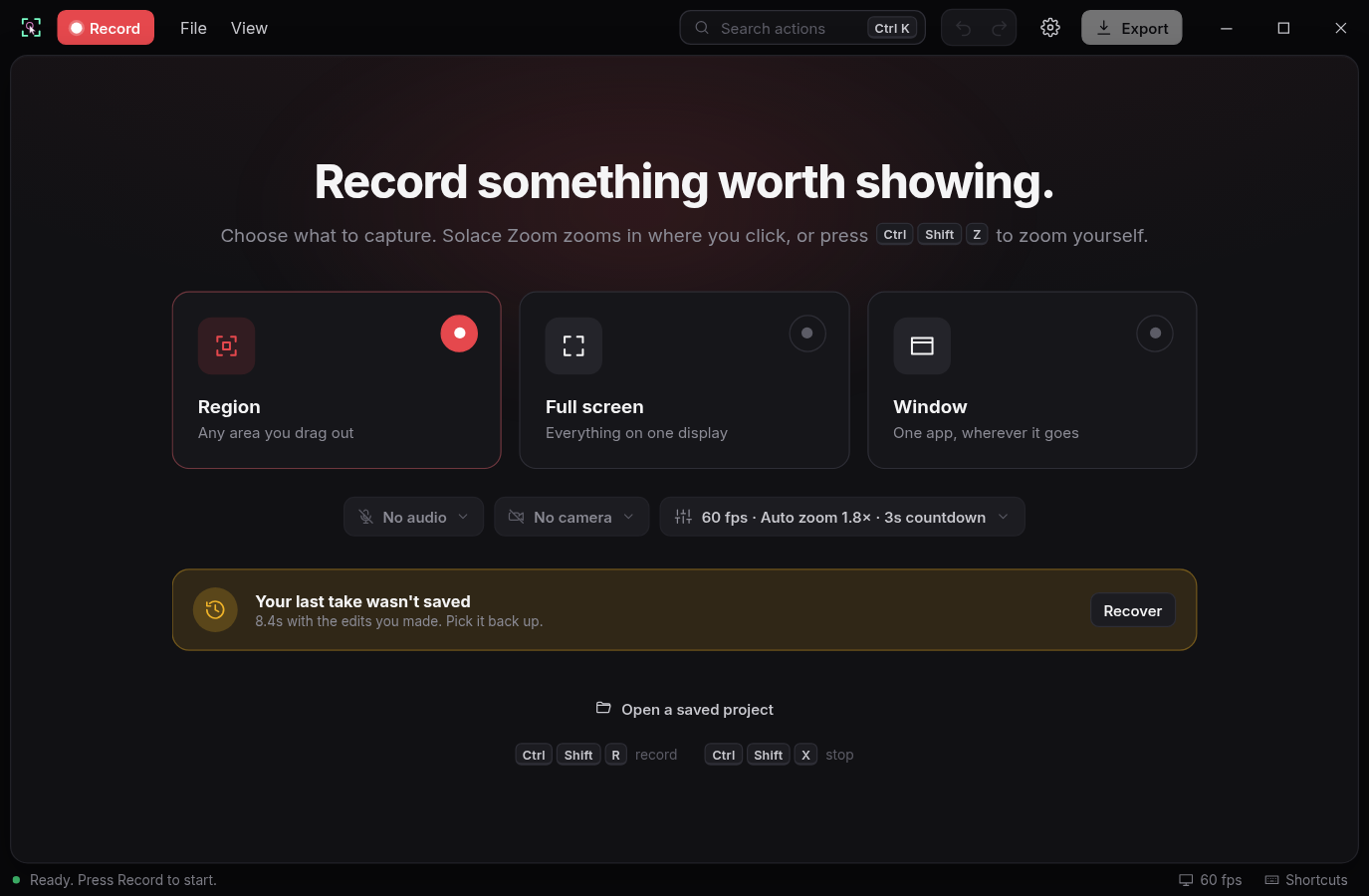
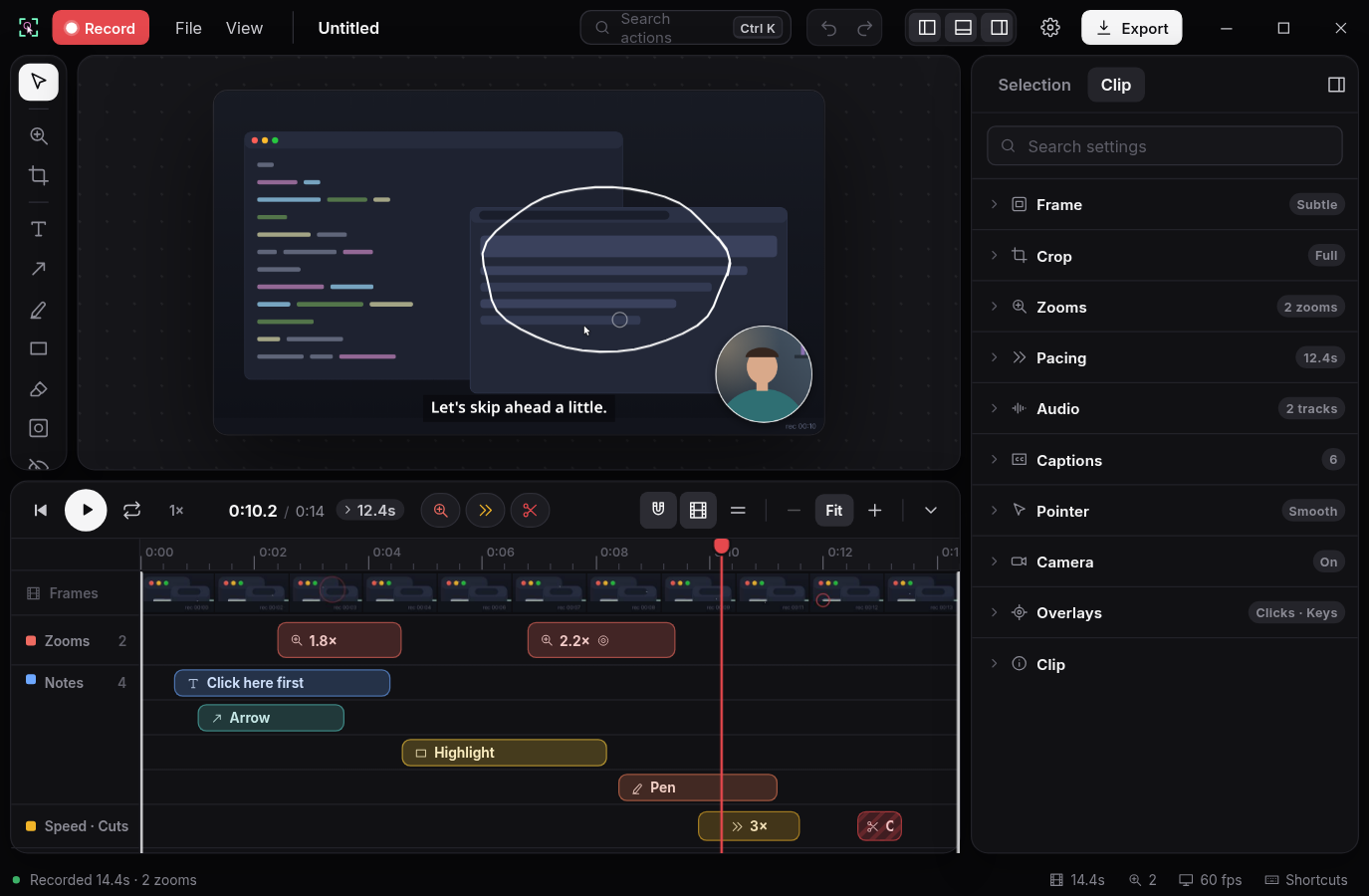
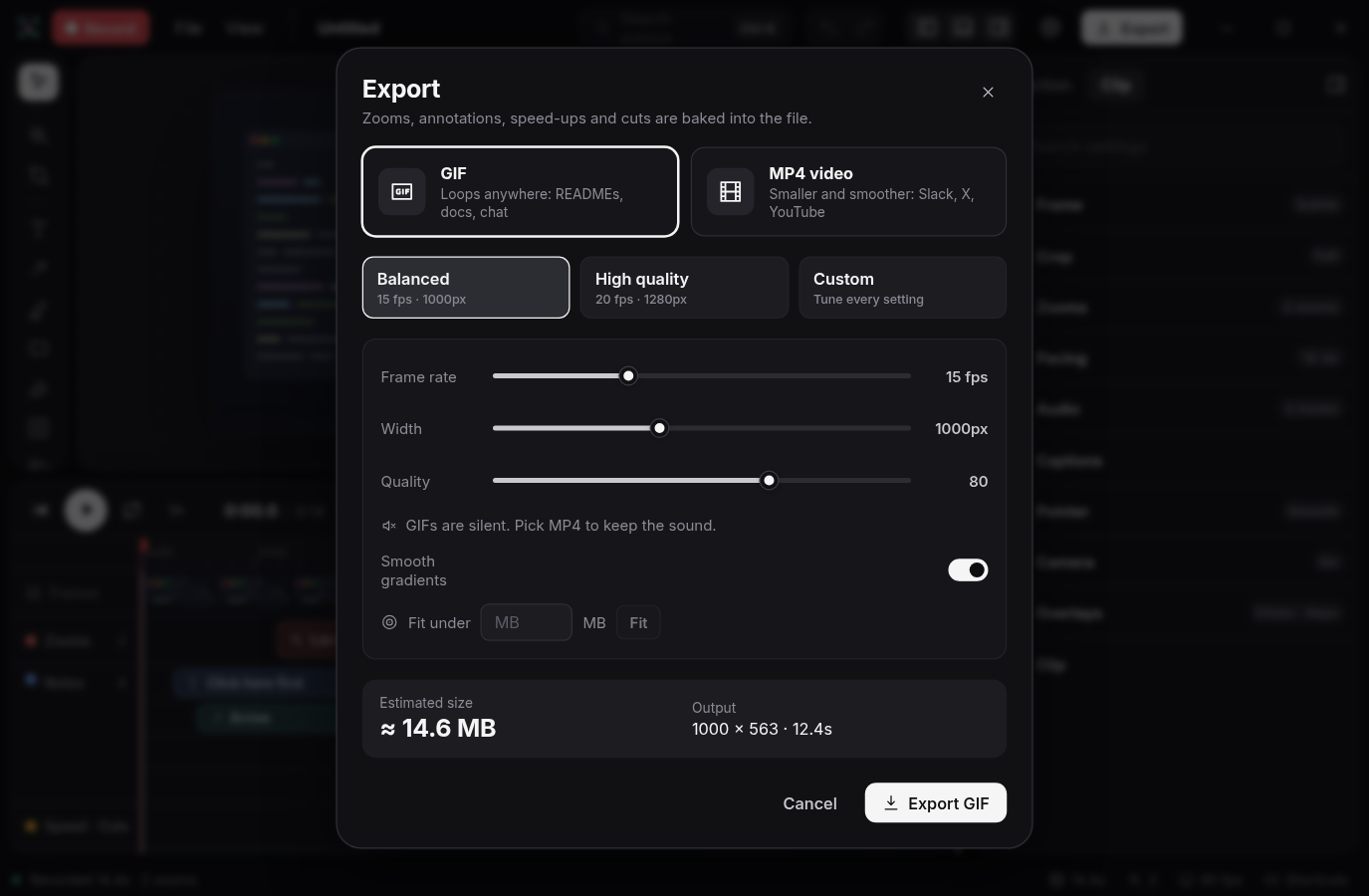
Trial captures with sample data. Solace Zoom runs on your Windows PC.
After you buy, you can check that your download is exactly this file: same name, same size, same SHA-256.
- File
- Solace-Zoom-1.0.0-Windows-x64-unsigned.zip
- Size
- 8157110 bytes
- SHA-256
22a8ea3db5054fa99e7d6ccd1400f24b116037b2ad0855c2af53dc4eaf77dc7f
ABOUT THIS PRODUCT
The story behind Solace Zoom
A screen recording is the fastest way to show how something works, but raw captures are hard to follow: the cursor is tiny, the important part is somewhere in a corner and nobody wants to spend an hour keyframing zooms in a video editor.
Solace Zoom records a region, a window or a whole screen and glides in on every click on its own, with smooth cursor movement, so the viewer always sees what you are doing. Press Ctrl+Shift+Z to zoom by hand. Afterwards the editor lets you trim, cut the fumbles, speed up idle stretches, add labels, arrows and highlights, pick a frame and background, and export an MP4 or GIF that is ready for a README, changelog, chat or product post.
Captions are made on your PC: the first time you ask for them, Solace Zoom downloads a 57 MB speech model from SolaceSoftware and checks its SHA-256. There is no account, telemetry or watermark. Apart from that optional download, the app only checks SolaceSoftware for signed updates.
Usage disclaimer
Use SolaceSoftware products only for lawful, authorized purposes. Use only content, data, images, audio, and other material you have the rights and any necessary consent to use.
You are responsible for what you provide, create, and share. Do not use our products for fraud, deceptive impersonation, harassment, or other unlawful or abusive activity. Follow applicable laws, platform rules, and third-party licenses.
Software and AI outputs can contain mistakes. Review results before relying on them, publishing them, or sharing them with others.
Unzip the download and run Solace-Zoom-1.0.0-Setup.exe. It installs for your Windows user only and adds a Start menu entry.
Recordings and projects stay on your PC; projects are saved as .szoom folders. To remove the app, use Settings > Apps > Solace Zoom.