SOLACESOFTWARE / PRODUCT
Solace Upscale
Enlarge photos and artwork 2x, 3x or 4x and remove backgrounds on your own Windows PC, one image or a whole folder at a time.
One-time payment for the current Windows package plus 12 months of best-effort SolaceSoftware support and packaging updates. No automatic renewal.
14-day refund if the package can't start its core check — see Purchase terms.
Questions before you buy, or help after: solacesoftware@smilingface.cloud. A person replies, and we aim to answer within three business days.
- One-time price, $69.99 USD. No subscription and no automatic renewal.
- Runs on your own Windows PC.
- We publish the size and SHA-256 of the exact ZIP you download, so you can check it.
- A person answers your email, with 12 months of best-effort support included.
This download is unsigned. Windows may say “Windows protected your PC.” We’re a new publisher and haven’t bought a code-signing certificate yet. Click More info → Run anyway. Then check the ZIP against the SHA-256 on this page. Questions: solacesoftware@smilingface.cloud
IN THE APP
Screenshots
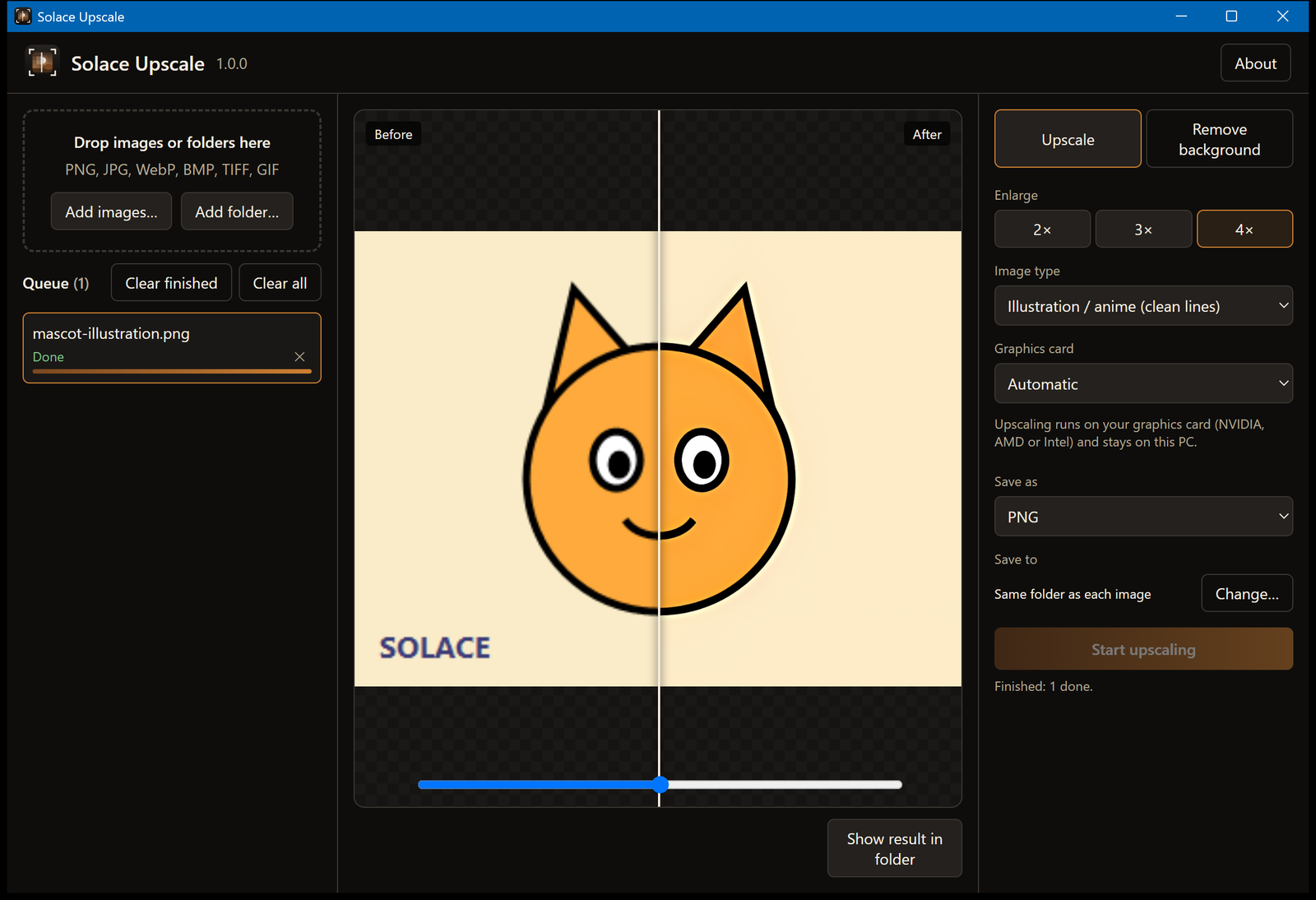
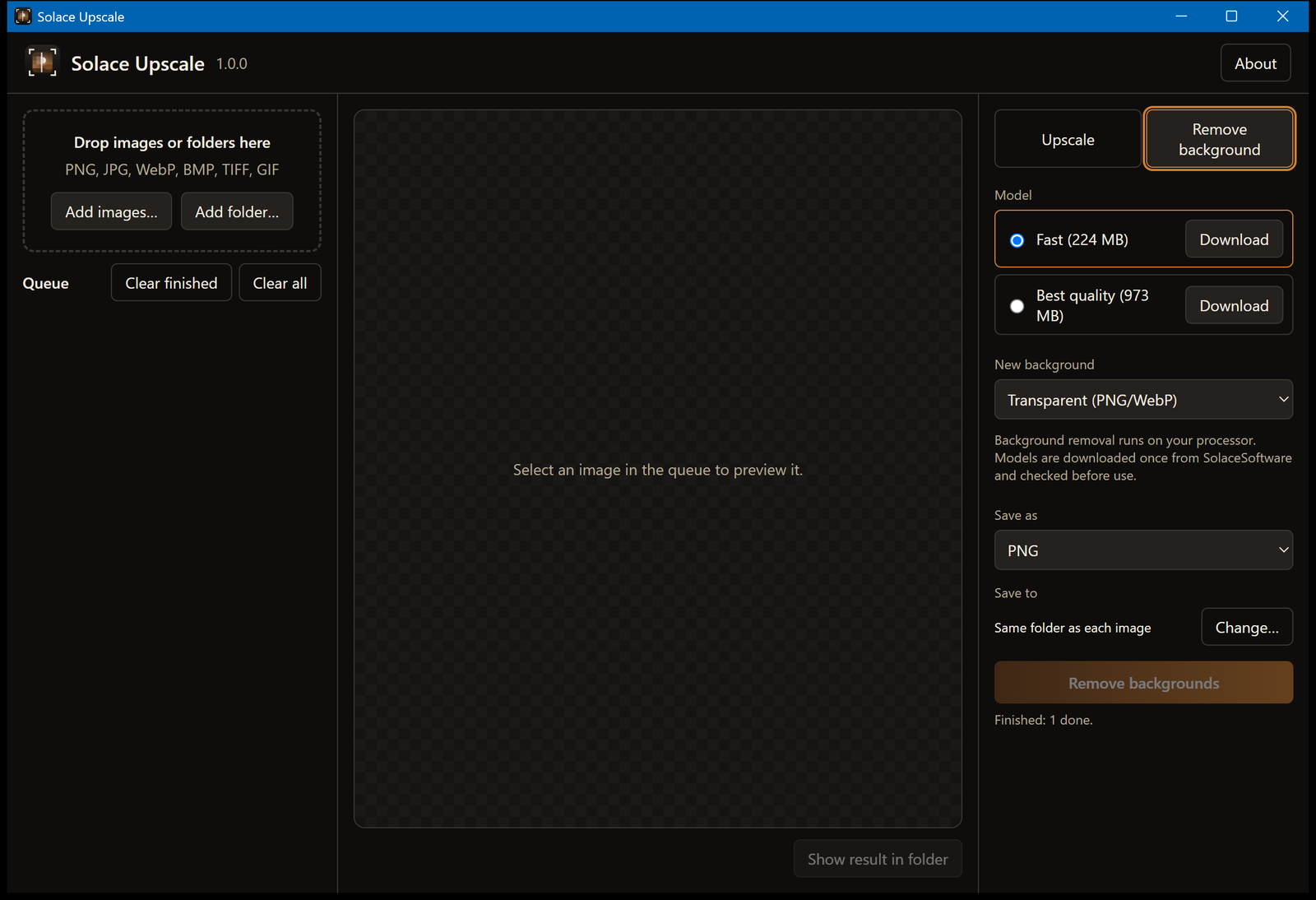
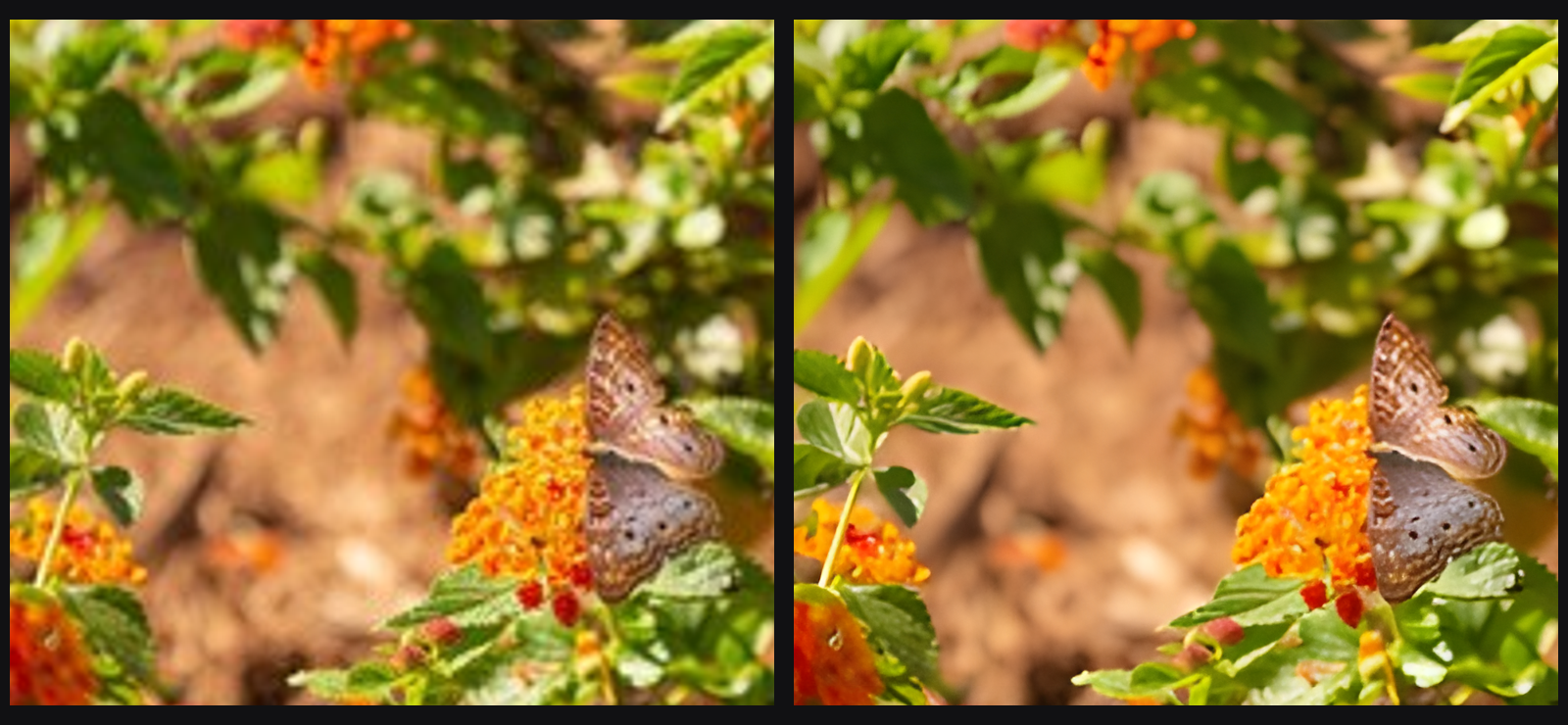
Trial captures with sample data. Solace Upscale runs on your Windows PC.
After you buy, you can check that your download is exactly this file: same name, same size, same SHA-256.
- File
- Solace-Upscale-1.0.0-Windows-x64-unsigned.zip
- Size
- 55697676 bytes
- SHA-256
3573e6fbf27f42c4afce09ae6ef2aa53d463483a6ca53a38c662f1950cb747d7
ABOUT THIS PRODUCT
The story behind Solace Upscale
Solace Upscale enlarges images 2x, 3x or 4x with three settings: Photo for real photos, Illustration / anime for drawings and line art, and Fast for a lighter, quicker pass. Upscaling runs on your graphics card.
The Remove background tab cuts out the main subject and saves it with a transparent background, a solid colour or a blurred copy of the original. It uses one of two models (Fast, 224 MB, or Best quality, 973 MB) that the app downloads from SolaceSoftware the first time you choose them and checks against a SHA-256 checksum. Background removal runs on the processor.
Add single images or whole folders, compare the original and the result with a before/after slider, and save as PNG, JPG or WebP next to each image or in a folder you pick. Images stay on your PC; the only network request the app makes is the model download you start.
Usage disclaimer
Use SolaceSoftware products only for lawful, authorized purposes. Use only content, data, images, audio, and other material you have the rights and any necessary consent to use.
You are responsible for what you provide, create, and share. Do not use our products for fraud, deceptive impersonation, harassment, or other unlawful or abusive activity. Follow applicable laws, platform rules, and third-party licenses.
Software and AI outputs can contain mistakes. Review results before relying on them, publishing them, or sharing them with others.
Unzip the whole folder anywhere and run SolaceUpscale.exe.
Downloaded background models are stored in %LocalAppData%\cloud.smilingface.solaceupscale\models. To remove the app, delete its folder and that one.