SOLACESOFTWARE / PRODUCT
Solace Redact
Black out personal information in documents on your own PC, then review every redaction before sharing.
One-time payment for the current Windows package. No automatic renewal.
After checkout, Stripe brings you back to a page with your Download button. Bookmark it: the download works in the browser you paid with, for 30 days.
Solace Redact is also in Solace Complete: 25 Solace apps (Sweep, Clock, Pic Lock, Pad and FPS sold separately) in one bundle, $45 once.
Email us at solacesoftware@smilingface.cloud with questions.
Guide: How to permanently redact a PDF offline on Windows.
- Offline on-device detection — files never leave your PC for the scan
- Flattened black-box PDFs ready to share
- Watched-folder auto-redact for recurring drops
- Review every output before sharing
- Process TXT, CSV, RTF, email, Word, Excel, and PDF files locally
- One-time price, $92.00 USD. No subscription and no automatic renewal.
- Runs on your own Windows PC.
- We publish the size and SHA-256 of the exact ZIP you download, so you can check it.
Tested: six sample files (CSV, Word, Excel, PDF, email and text) were redacted from the command line, and PDFs came out flattened with no hidden text left. City and state names were not removed, so review every output.
The app isn’t code-signed yet, so the first time you open it Windows may show “Windows protected your PC.” Click More info, then Run anyway. After you buy, you can check the ZIP against the SHA-256 on this page. Questions: solacesoftware@smilingface.cloud
IN THE APP
Screenshots
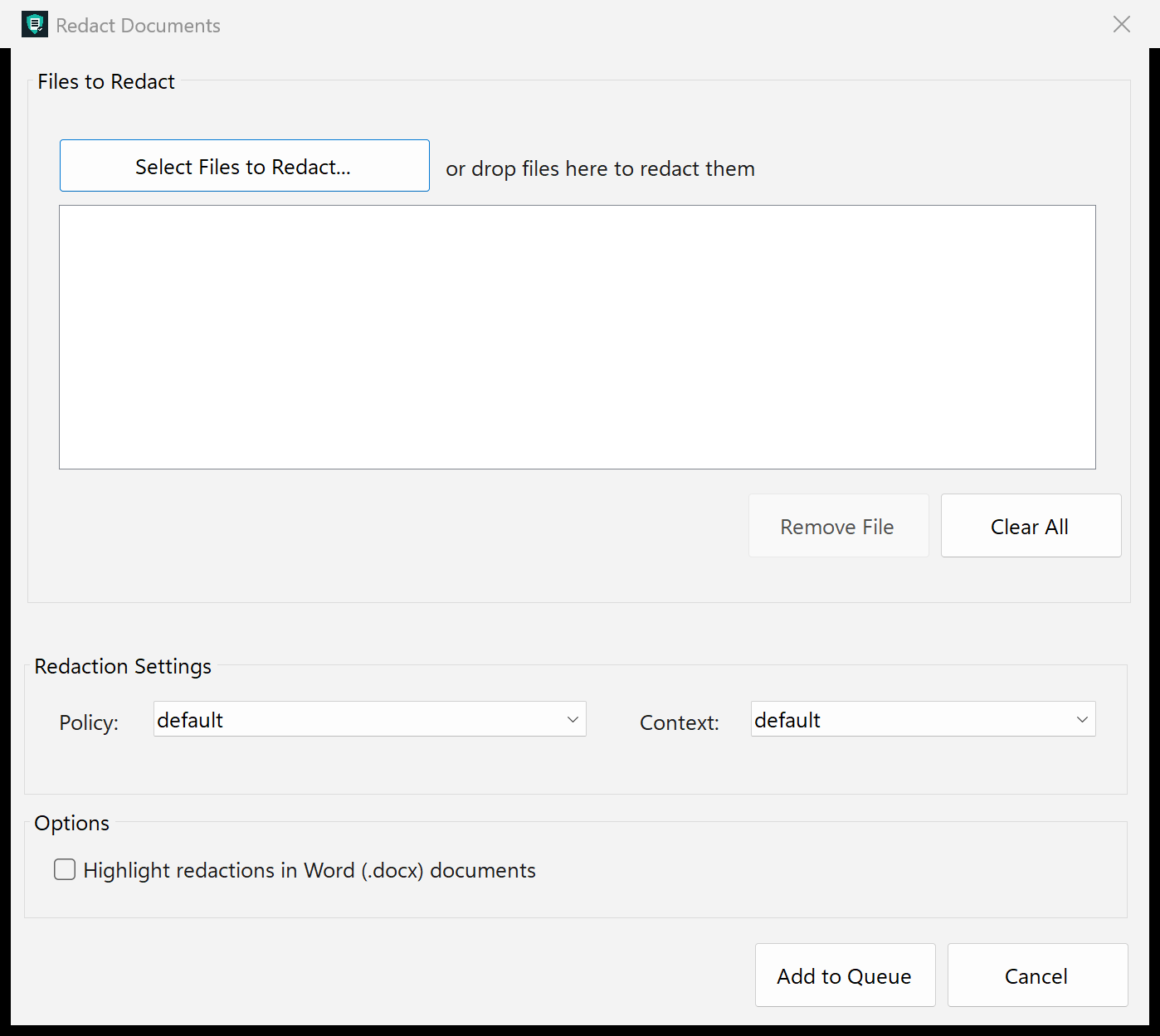
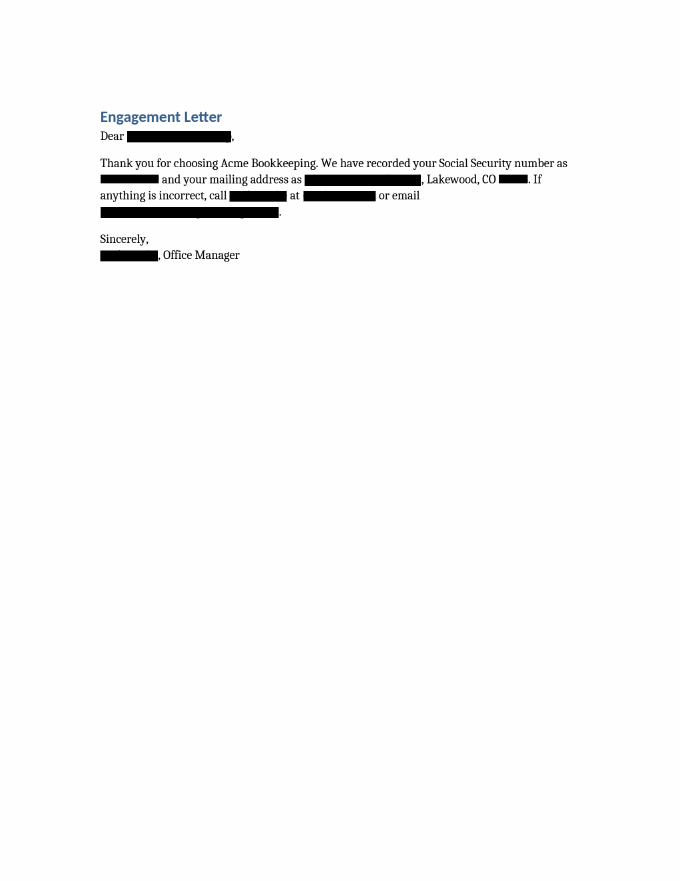
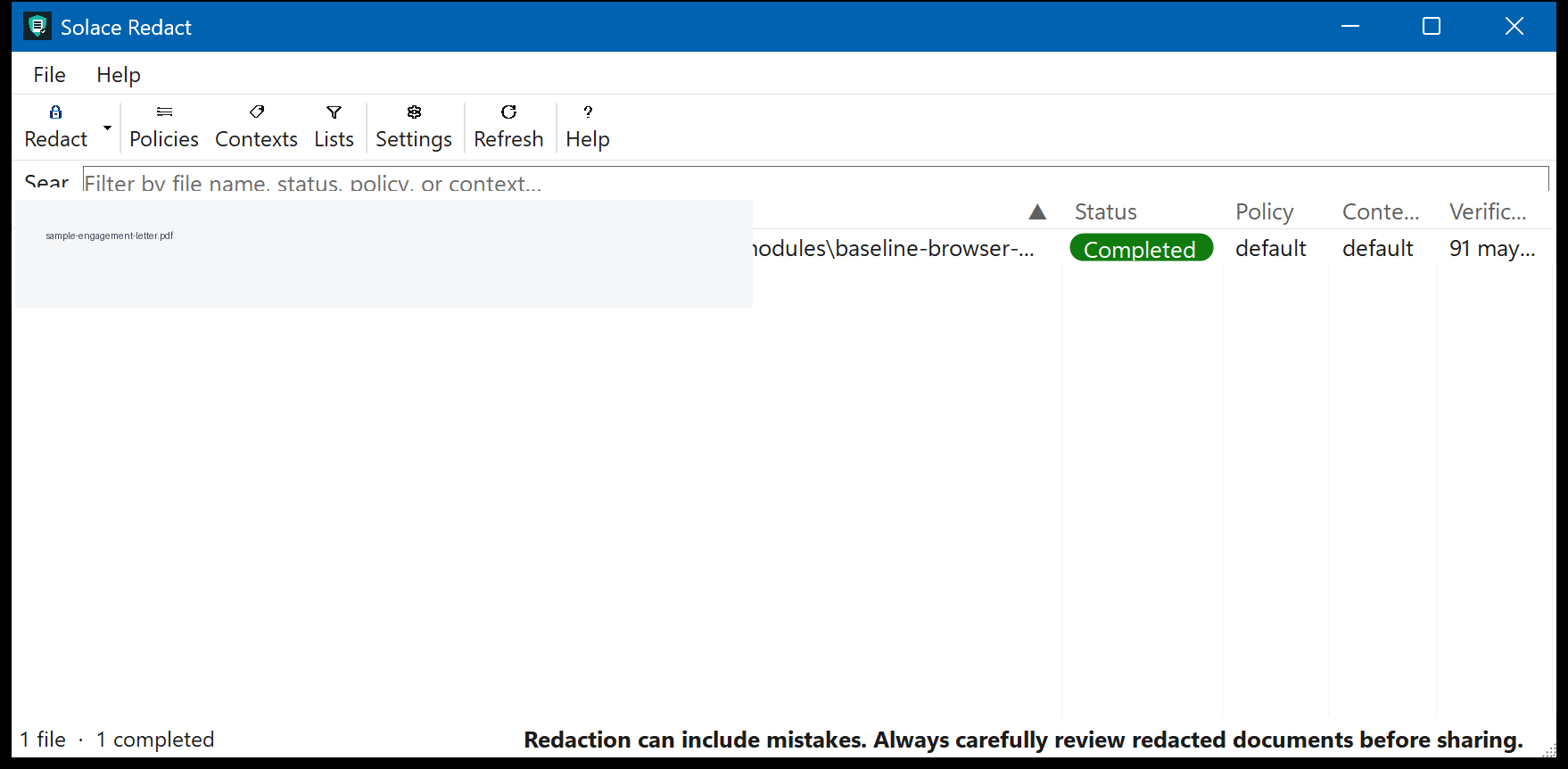
Screen captures with sample data. Solace Redact runs on your Windows PC.
After you buy, you can check that your download is exactly this file: same name, same size, same SHA-256.
- File
- Solace-Redact-1.1.1-solace.4-Windows-x64.zip
- Size
- 175014560 bytes
- SHA-256
2ce396a48610ec0e831ab882bdd2ad42ae22b643f039c1beed4e13c4b1d2d6d7
ABOUT THIS PRODUCT
The story behind Solace Redact
Most days, sensitive documents do not wait for a perfect process. A scan comes in, a spreadsheet needs sharing, or someone asks for a copy with the private bits taken out — and you would rather handle that on your own PC than upload the file somewhere just to black out a few fields.
Solace Redact is built for that kind of ordinary, careful work. You open a supported document on Windows, let the included on-device model mark common personal information and names, then walk the proposed redactions yourself before anything is saved or sent. Nothing about the document has to leave your machine for the detection step, which is the whole point when the contents are confidential.
It is meant for professionals and small teams who want a review-first habit: look, adjust, then share. Formats like TXT, CSV, RTF, email, Word, Excel, and PDF are in scope. The app will not replace your judgment, and it is not legal or compliance advice — it is a practical helper that keeps the sensitive work local, visible, and under your control.
Usage disclaimer
Use SolaceSoftware products only for lawful, authorized purposes. Use only content, data, images, audio, and other material you have the rights and any necessary consent to use.
You are responsible for what you provide, create, and share. Do not use our products for fraud, deceptive impersonation, harassment, or other unlawful or abusive activity. Follow applicable laws, platform rules, and third-party licenses.
Software and AI outputs can contain mistakes. Review results before relying on them, publishing them, or sharing them with others.
Automated detection can miss sensitive information or cover the wrong content. Review every page of every output before sharing or relying on it.
Keep an untouched backup of each source document. Solace Redact is not legal, privacy, records-management, or compliance advice.