
SOLACESOFTWARE / PRODUCT
Solace Ping
See at a glance which of your hosts are up. A Windows multi-host ping monitor with color-coded ICMP and TCP port checks.
Tested: on 1.3.23-solace.2, 10 hosts ran in one window, a TCP check read “Port 443: OPEN [18ms]”, and the built-in traceroute finished in about 5 seconds.
One-time payment for the current Windows package plus 12 months of best-effort SolaceSoftware support and packaging updates. No automatic renewal.
14-day refund if the package can't start its core check — see Purchase terms.
Questions before you buy, or help after: solacesoftware@smilingface.cloud. A person replies, and we aim to answer within three business days.
Guide: How to monitor multiple IPs at once on Windows.
- One-time price, $36.79 USD. No subscription and no automatic renewal.
- Runs on your own Windows PC.
- We publish the size and SHA-256 of the exact ZIP you download, so you can check it.
- A person answers your email, with 12 months of best-effort support included.
This download is unsigned. Windows may say “Windows protected your PC.” We’re a new publisher and haven’t bought a code-signing certificate yet. Click More info → Run anyway. Then check the ZIP against the SHA-256 on this page. Questions: solacesoftware@smilingface.cloud
IN THE APP
Screenshots
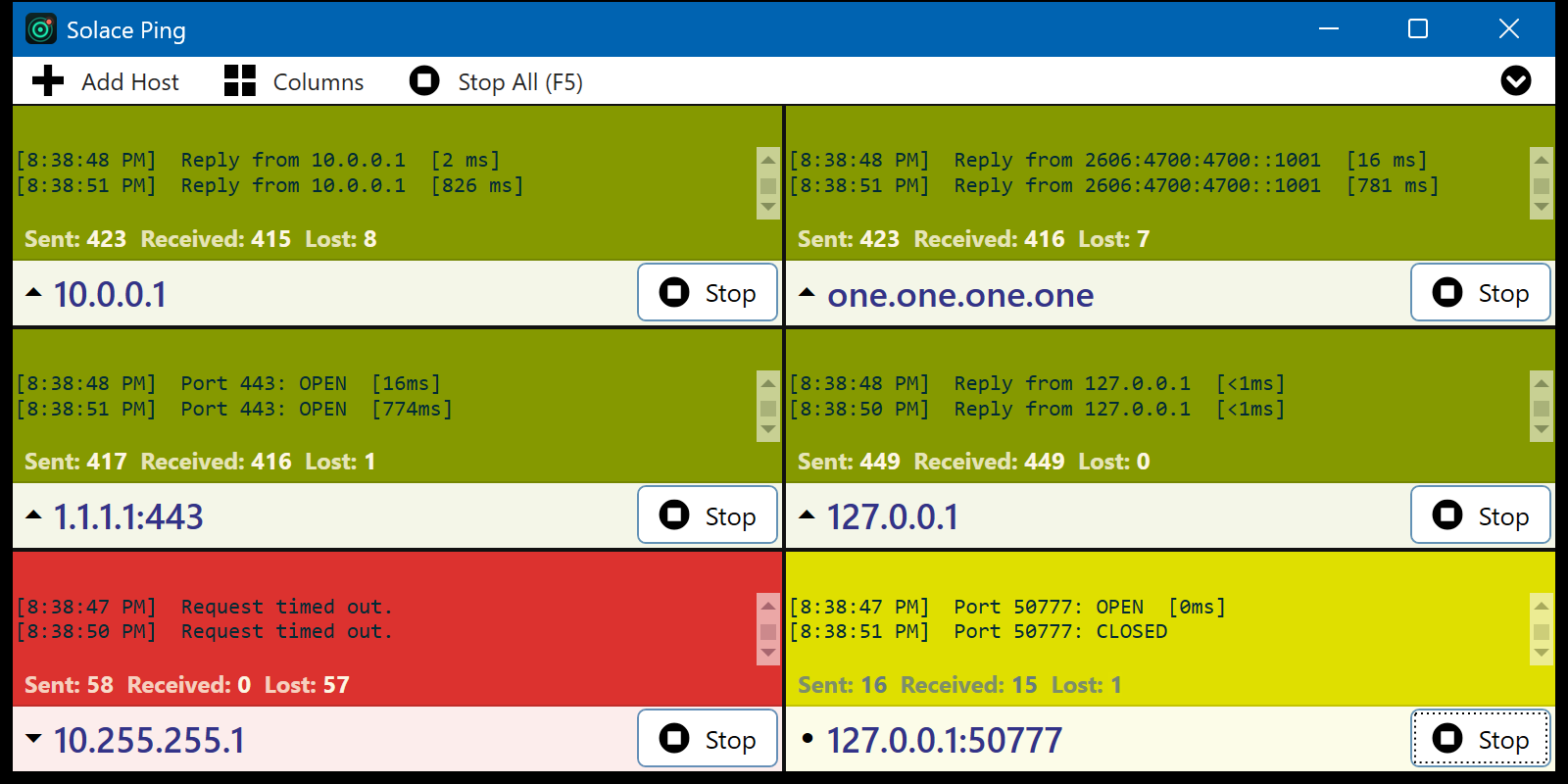
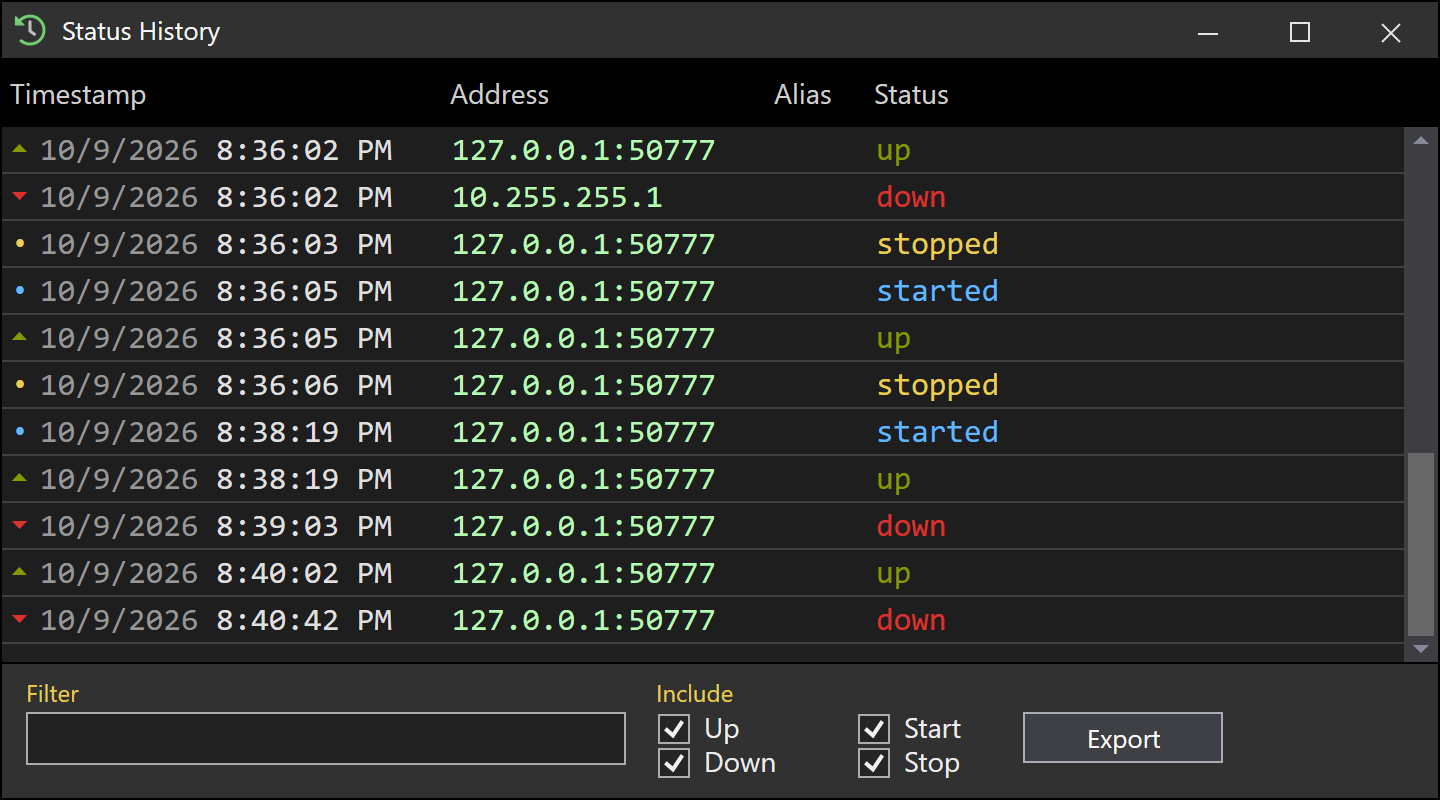
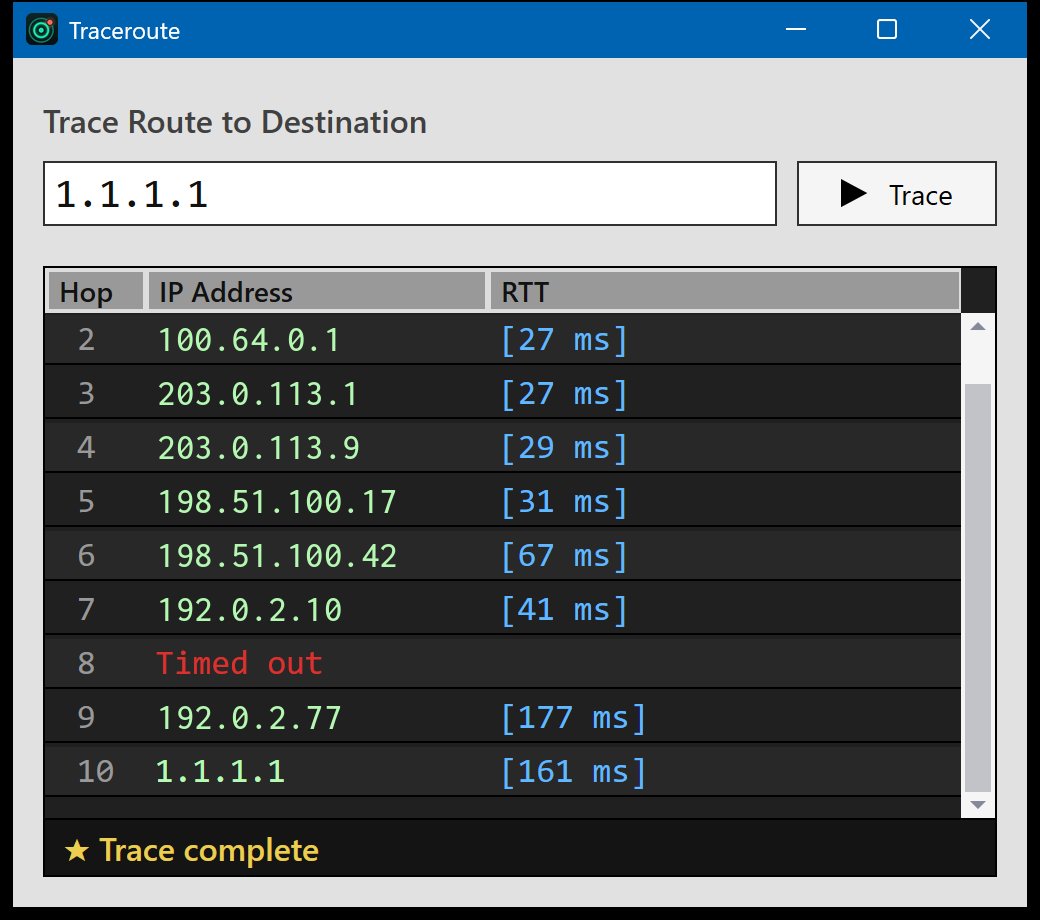
Trial captures with sample data. Solace Ping runs on your Windows PC.
After you buy, you can check that your download is exactly this file: same name, same size, same SHA-256.
- File
- Solace-Ping-1.3.23-solace.4-Windows-x64-unsigned.zip
- Size
- 265738 bytes
- SHA-256
28a749561627c4d6835f729008e1e2dffdd7a850a2f43af9f6ccbaf08783815d
ABOUT THIS PRODUCT
The story behind Solace Ping
When a printer, a server, or the office internet drops, you usually find out from someone else. Running ping in five command windows works until you lose track of which window is which. Solace Ping puts every host you care about on one screen, each in its own tile that turns green, red, or yellow as replies come and go.
You unzip the package, run Solace Ping, and type a host name or IP address into a tile. Add as many tiles as you need, use host:port for a TCP port check, and save sets of hosts as favorites. It can show a popup, play a sound, send an email through your own mail server, or write a log when a host changes state, and it includes a quick trace route. It only contacts the hosts you enter, and settings stay in your Windows profile.
Usage disclaimer
Use SolaceSoftware products only for lawful, authorized purposes. Use only content, data, images, audio, and other material you have the rights and any necessary consent to use.
You are responsible for what you provide, create, and share. Do not use our products for fraud, deceptive impersonation, harassment, or other unlawful or abusive activity. Follow applicable laws, platform rules, and third-party licenses.
Software and AI outputs can contain mistakes. Review results before relying on them, publishing them, or sharing them with others.
Ping and port-check only hosts and networks you own or are authorized to monitor.
A green tile means the host answered the last check. It does not prove that every service on that host is working.