SOLACESOFTWARE / PRODUCT
Solace FPS
See how your game is really running. A small overlay for Windows 10 and 11 with FPS, frame time, 1% and 0.1% lows, a frame-time graph, and CPU, GPU, RAM and VRAM. $11.95 once.
One-time payment for the current Windows package plus 12 months of best-effort SolaceSoftware support and packaging updates. No automatic renewal.
14-day refund if the package can't start its core check — see Purchase terms.
Questions before you buy, or help after: solacesoftware@smilingface.cloud. We aim to answer within three business days.
- One-time price, $11.95 USD. No subscription and no automatic renewal.
- Runs on your own Windows PC.
- We publish the size and SHA-256 of the exact ZIP you download, so you can check it.
- Email support, with 12 months of best-effort help included.
This download is unsigned. Windows may say “Windows protected your PC.” We’re a new publisher and haven’t bought a code-signing certificate yet. Click More info → Run anyway. Then check the ZIP against the SHA-256 on this page. Questions: solacesoftware@smilingface.cloud
IN THE APP
Screenshots
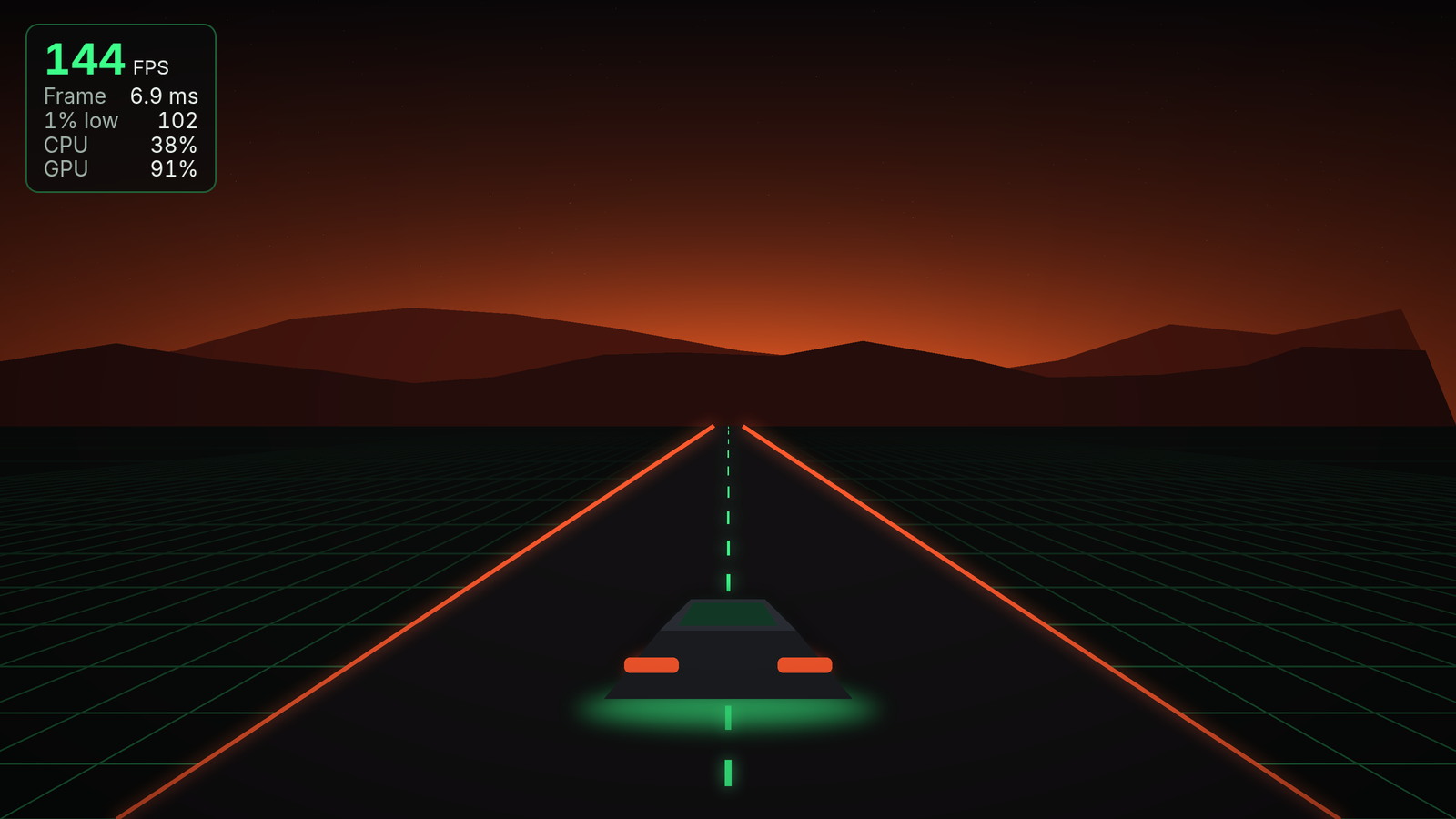
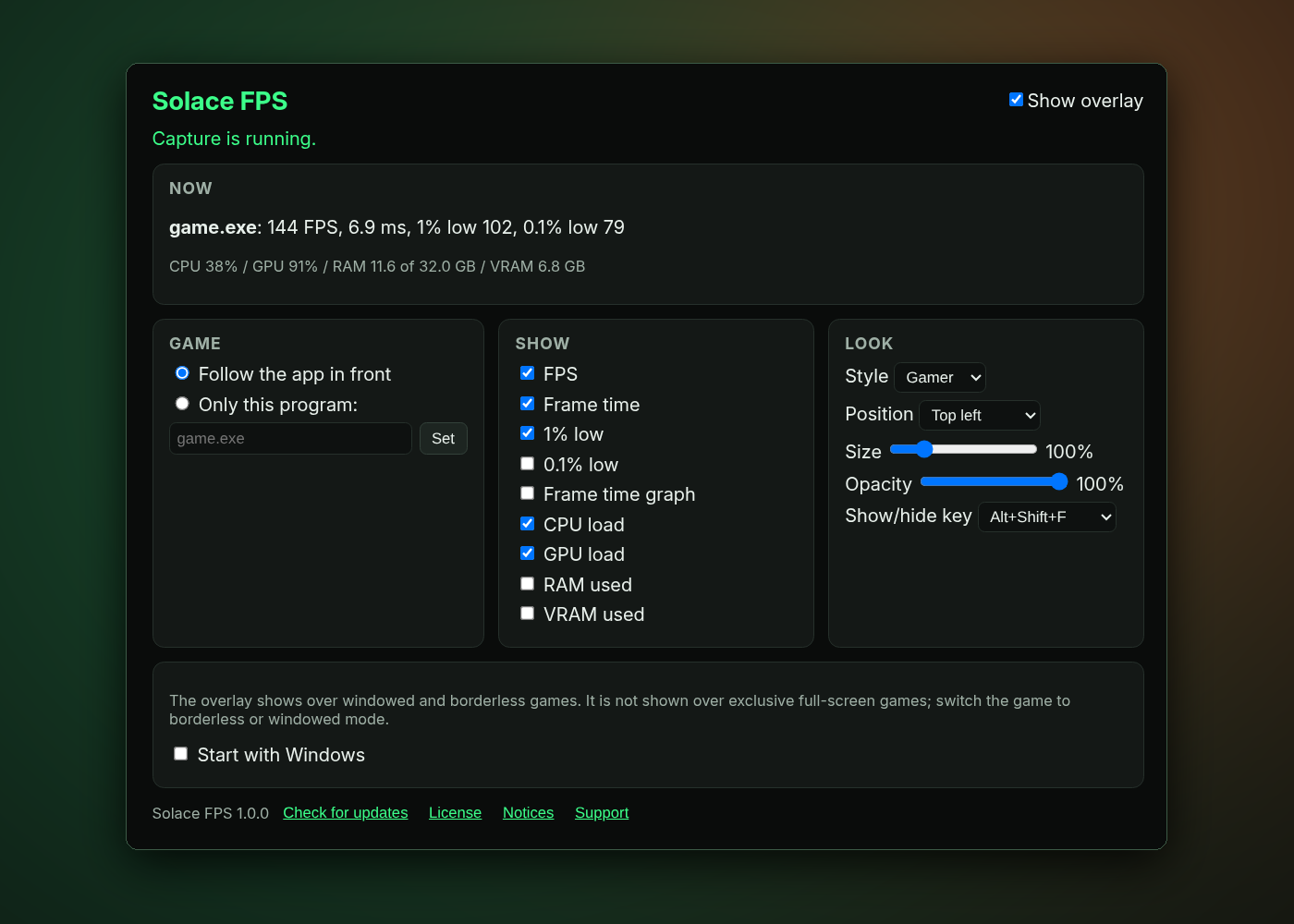
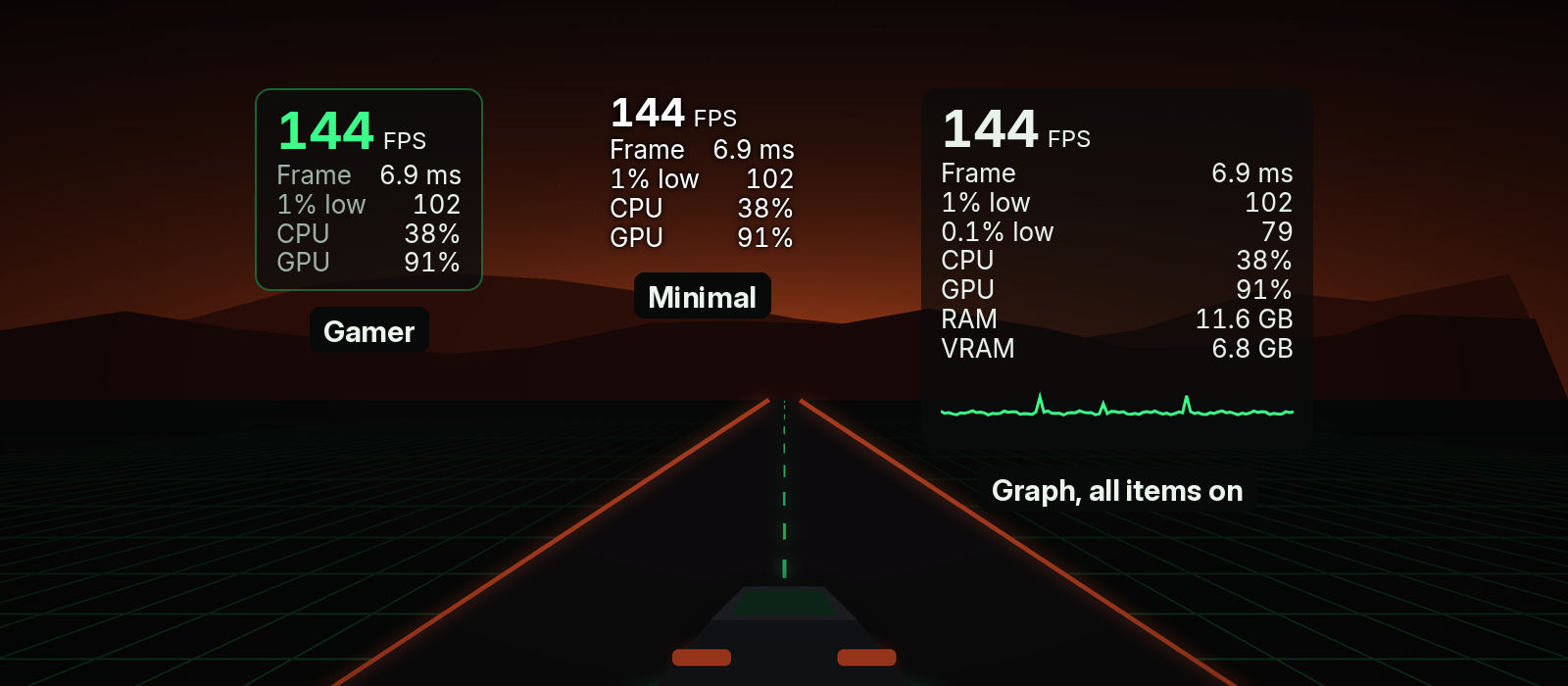
Trial captures with sample data. Solace FPS runs on your Windows PC.
After you buy, you can check that your download is exactly this file: same name, same size, same SHA-256.
- File
- Solace-FPS-1.0.0-Windows-x64-unsigned.zip
- Size
- 3261161 bytes
- SHA-256
c668235f41cf51e7f571946282670513545058c738b62c3bd59aec5940406d60
ABOUT THIS PRODUCT
The story behind Solace FPS
Start a game in windowed or borderless mode and Solace FPS puts a small overlay in the corner you picked. It shows frames per second, frame time, and 1% and 0.1% lows, so you see stutter as well as speed, with an optional frame-time graph. CPU and GPU load, RAM and VRAM use sit alongside, so you can tell what's holding a game back without alt-tabbing.
It follows the app in front, or one program you choose. Pick Minimal, Gamer or Graph, choose a corner, size and opacity, and show or hide it with Alt+Shift+F or a key of your own. The overlay is click-through and never takes focus, and closing the window leaves it running in the tray.
The first time, click Allow and approve one Windows admin prompt (Yes on an admin account, or an administrator's password on a standard account) so Solace FPS can read frame timing; it takes effect after you sign out and back in once. Prefer not to? Skip it and approve the admin prompt each time you start a capture instead. Two honest limits: the overlay doesn't show over exclusive full-screen games (switch the game to borderless or windowed), and this version doesn't show temperatures. No account, no telemetry, and it contacts SolaceSoftware only when you click Check for updates.
Usage disclaimer
Use SolaceSoftware products only for lawful, authorized purposes. Use only content, data, images, audio, and other material you have the rights and any necessary consent to use.
You are responsible for what you provide, create, and share. Do not use our products for fraud, deceptive impersonation, harassment, or other unlawful or abusive activity. Follow applicable laws, platform rules, and third-party licenses.
Software and AI outputs can contain mistakes. Review results before relying on them, publishing them, or sharing them with others.
Unzip the download and run Solace-FPS-1.0.0-Setup.exe. It installs for your Windows user only and adds a Start menu entry.
Start a game in windowed or borderless mode; the overlay appears in the corner you picked. Closing the window keeps the overlay running from the tray; use Quit in the tray menu to stop it.