SOLACESOFTWARE / PRODUCT
Solace Dusk
Warm your screen at sunset and bring it back at sunrise, automatically. A small Windows tray app for gentler evening screens, with hotkeys and per-app pausing.
Tested: on 2.7.2-solace.1 in Denver, the offline city lookup gave the correct sunrise (7:04 AM) and sunset (6:28 PM) for Oct 10, and the 24-hour preview ran day → night → day in about 10 seconds.
One-time payment for the current Windows package plus 12 months of best-effort SolaceSoftware support and packaging updates. No automatic renewal.
14-day refund if the package can't start its core check — see Purchase terms.
Questions before you buy, or help after: solacesoftware@smilingface.cloud. A person replies, and we aim to answer within three business days.
Compare: Solace Dusk vs f.lux and Windows Night Light.
- One-time price, $13.79 USD. No subscription and no automatic renewal.
- Works offline: the app itself makes no network calls (see the details below).
- We publish the size and SHA-256 of the exact ZIP you download, so you can check it.
- A person answers your email, with 12 months of best-effort support included.
This download is unsigned. Windows may say “Windows protected your PC.” We’re a new publisher and haven’t bought a code-signing certificate yet. Click More info → Run anyway. Then check the ZIP against the SHA-256 on this page. Questions: solacesoftware@smilingface.cloud
IN THE APP
Screenshots
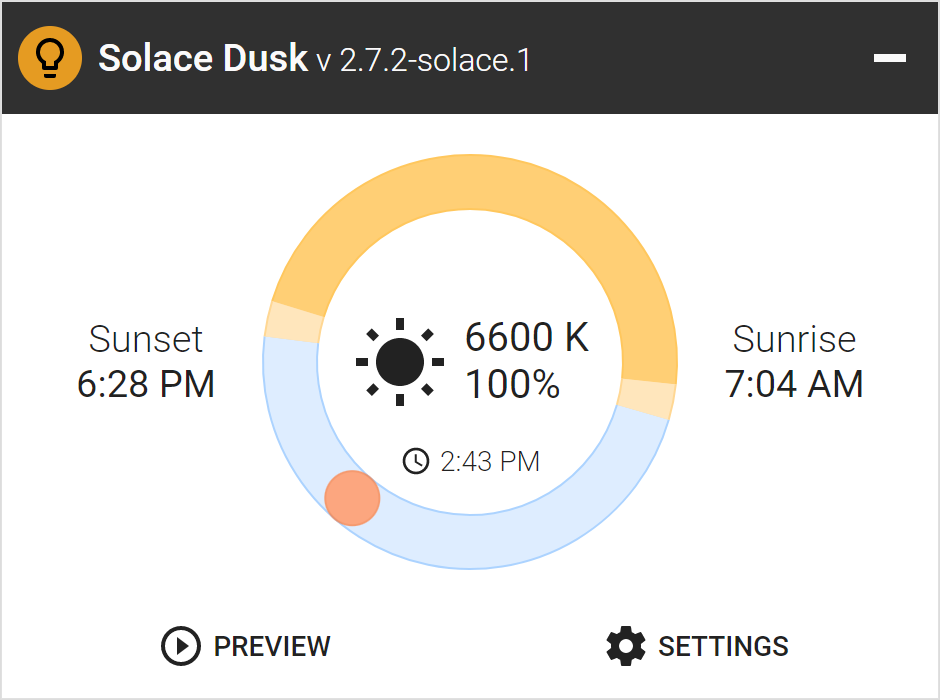
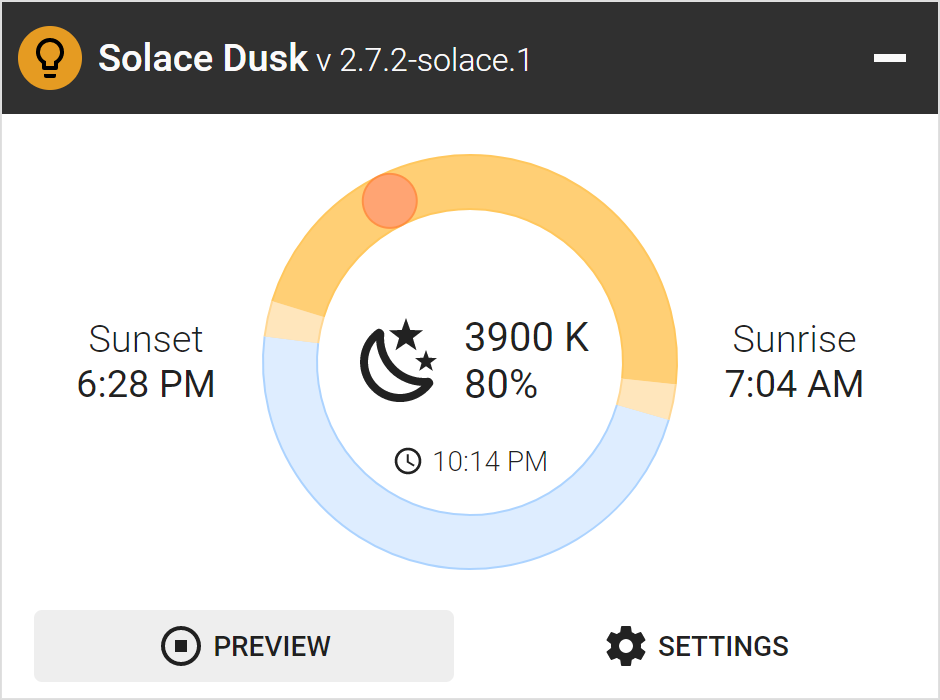
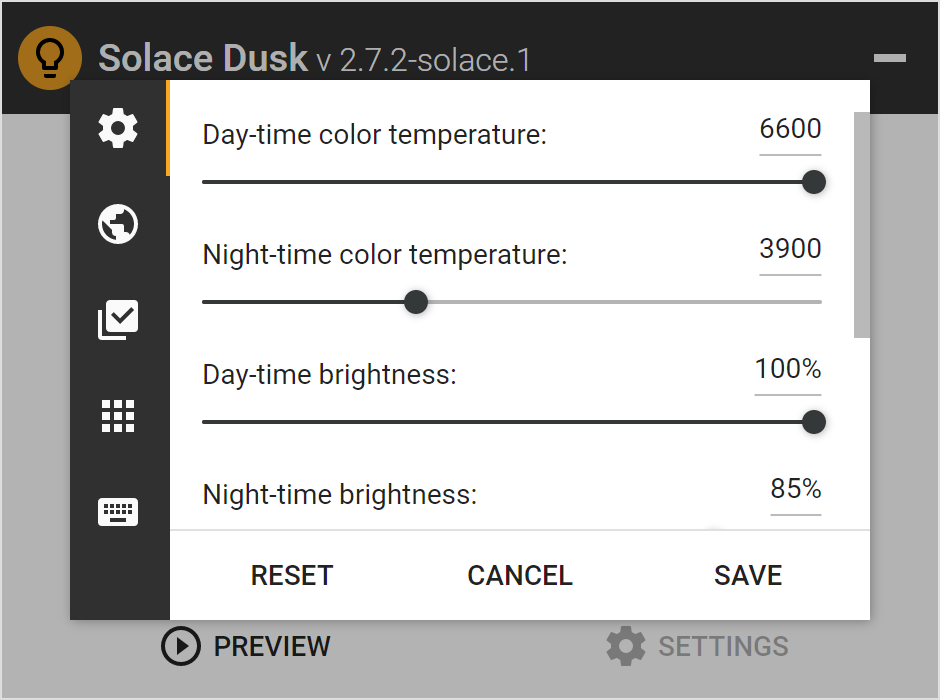
Trial captures with sample data. Solace Dusk runs on your Windows PC.
After you buy, you can check that your download is exactly this file: same name, same size, same SHA-256.
- File
- Solace-Dusk-2.7.2-solace.2-Windows-x64-unsigned.zip
- Size
- 23141677 bytes
- SHA-256
f121bd5fb5895036079fa37a5bfe77fc0fb09598109fde5df01c2497463e7e46
ABOUT THIS PRODUCT
The story behind Solace Dusk
Late in the evening a bright, blue-white monitor feels harsh, and turning the brightness down by hand every night gets old. Windows has a built-in Night Light, but it gives you one warmth slider, no brightness control, no way to pause for a photo editor or a game, and no hotkeys.
Solace Dusk sits in the system tray and follows the sun where you live. Type your city (looked up offline in a built-in list of about 34,000 cities) or your coordinates, or set sunrise and sunset by hand, and it fades your screen to the night color temperature and brightness you choose, then back again in the morning. You pick the day and night temperatures, the transition length and offset, pause it automatically while chosen apps or any fullscreen app are in front, disable it for a while or until sunrise from the tray, and nudge warmth or brightness with global hotkeys. It has no updater, no account and no network calls, so your location never leaves your PC.
Usage disclaimer
Use SolaceSoftware products only for lawful, authorized purposes. Use only content, data, images, audio, and other material you have the rights and any necessary consent to use.
You are responsible for what you provide, create, and share. Do not use our products for fraud, deceptive impersonation, harassment, or other unlawful or abusive activity. Follow applicable laws, platform rules, and third-party licenses.
Software and AI outputs can contain mistakes. Review results before relying on them, publishing them, or sharing them with others.
Solace Dusk changes the display color gamma. Very warm settings may need Windows' extended gamma range, which Solace Dusk can turn on once with administrator approval.
It does not change your monitor's backlight, and it is a comfort setting, not a medical or sleep treatment.
On first start it asks whether to start with Windows; that stays off unless you choose yes. Exit is in the window (power icon) and in the tray menu.