SOLACESOFTWARE / PRODUCT
Solace Color
Pick any color on your screen and turn it into the format you need. A Windows color toolkit with an eyedropper, converter, palettes, gradients, and contrast checks.
Tested: on 6.9.1-solace.2, conversions matched reference values (#336699 → RGB 51,102,153, HSL 210,50,40), and contrast ratios matched the WCAG formula exactly.
One-time payment for the current Windows package plus 12 months of best-effort SolaceSoftware support and packaging updates. No automatic renewal.
14-day refund if the package can't start its core check — see Purchase terms.
Questions before you buy, or help after: solacesoftware@smilingface.cloud. A person replies, and we aim to answer within three business days.
Guide: How to pick a color from anywhere on screen in Windows.
- One-time price, $27.14 USD. No subscription and no automatic renewal.
- Works offline: the app itself makes no network calls (see the details below).
- We publish the size and SHA-256 of the exact ZIP you download, so you can check it.
- A person answers your email, with 12 months of best-effort support included.
This download is unsigned. Windows may say “Windows protected your PC.” We’re a new publisher and haven’t bought a code-signing certificate yet. Click More info → Run anyway. Then check the ZIP against the SHA-256 on this page. Questions: solacesoftware@smilingface.cloud
IN THE APP
Screenshots
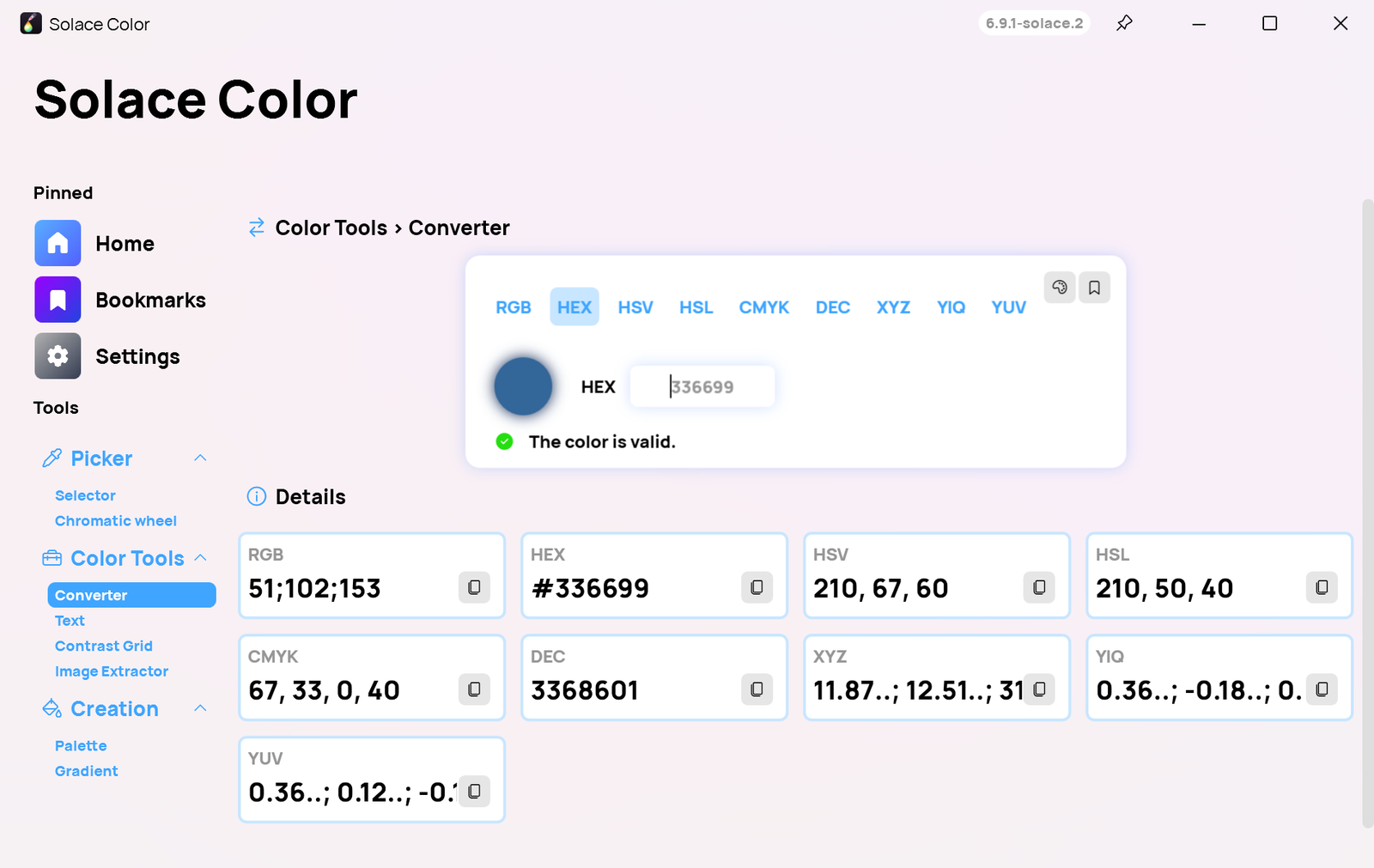
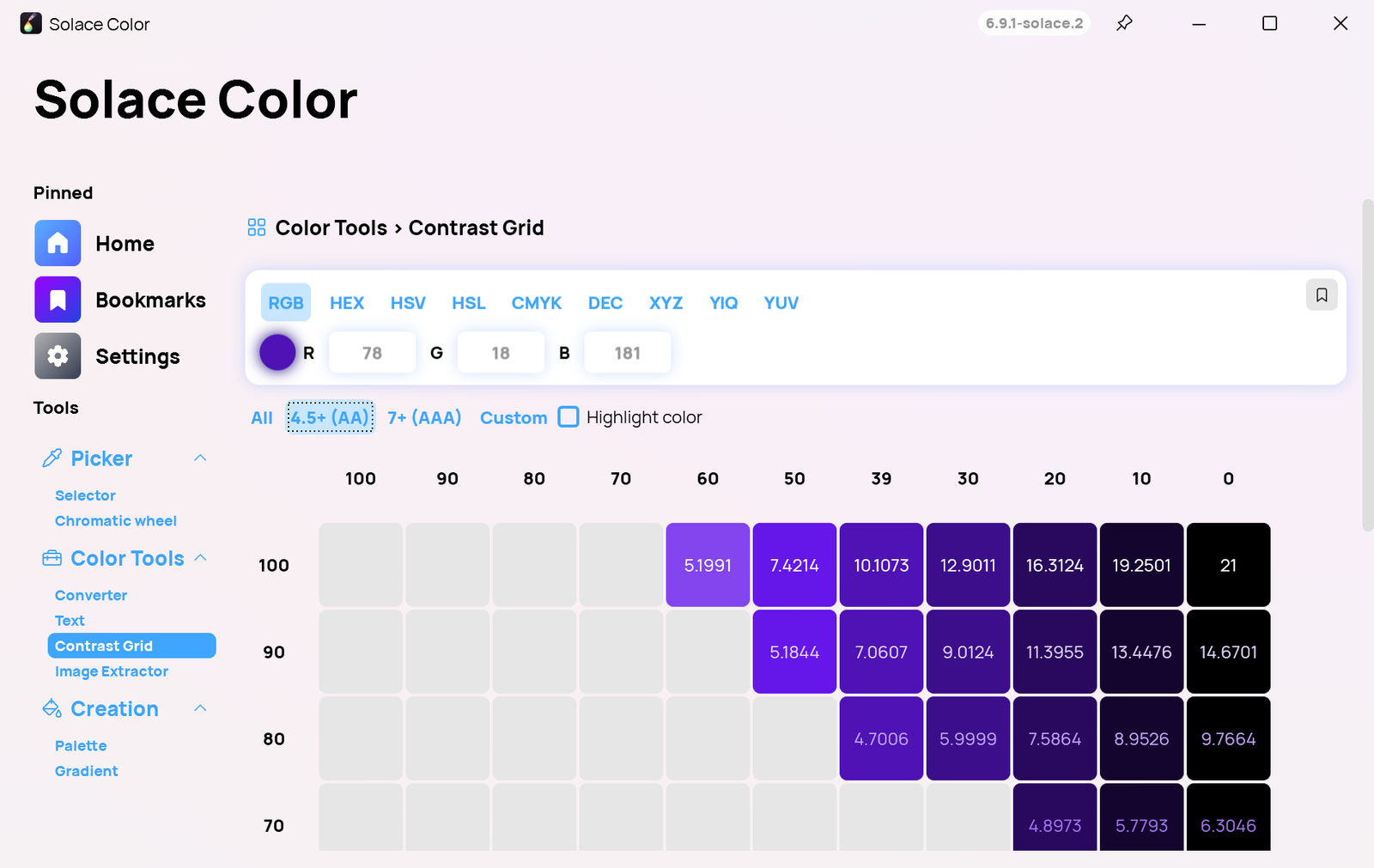
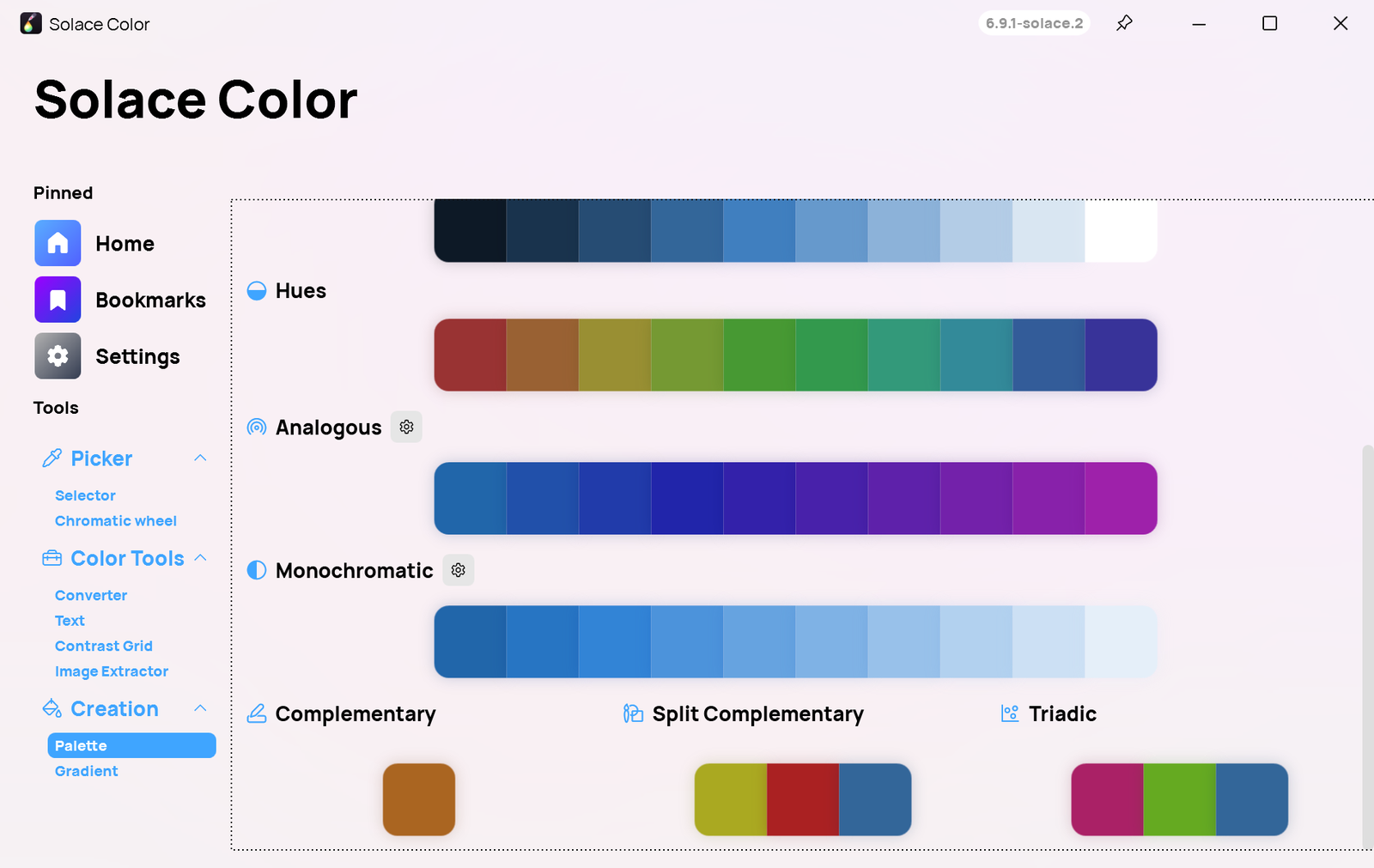
Trial captures with sample data. Solace Color runs on your Windows PC.
After you buy, you can check that your download is exactly this file: same name, same size, same SHA-256.
- File
- Solace-Color-6.9.1-solace.4-Windows-x64-unsigned.zip
- Size
- 67004118 bytes
- SHA-256
b99230f4e62be0888c35989b06bac2c39a25e899e99fb11bc52ce9f5781d00fe
ABOUT THIS PRODUCT
The story behind Solace Color
Matching a color from a screenshot, a website, or a client's logo usually means a screenshot, an image editor, and a lot of copying hex codes by hand. Then someone asks for the same color in RGB, HSL, or CMYK, and you start converting again. Solace Color keeps all of that in one small Windows app.
You unzip the package and run Solace Color. Press Shift+S to pick any pixel on screen and Shift+C to copy it. The converter turns one color into RGB, HEX, HSV, HSL, CMYK, XYZ, YIQ, YUV and more, the palette tool generates matching colors, the gradient tool builds gradients with CSS (plus Tailwind and XAML) you can copy, the text tool and contrast grid show whether text will be readable, and the image extractor pulls the main colors out of a picture. Bookmarks keep the colors, palettes and gradients you want to reuse. It has no updater, no account and no online features, and your settings stay in your Windows profile.
Usage disclaimer
Use SolaceSoftware products only for lawful, authorized purposes. Use only content, data, images, audio, and other material you have the rights and any necessary consent to use.
You are responsible for what you provide, create, and share. Do not use our products for fraud, deceptive impersonation, harassment, or other unlawful or abusive activity. Follow applicable laws, platform rules, and third-party licenses.
Software and AI outputs can contain mistakes. Review results before relying on them, publishing them, or sharing them with others.
Colors picked from the screen match what Windows displays; color-managed print work still needs a calibrated workflow.
Contrast results follow the WCAG contrast-ratio formula. They are a guide, not a full accessibility review.