SOLACESOFTWARE / PRODUCT
Solace Bright
Adjust brightness and contrast across multiple Windows monitors from one quiet tray app.
One-time payment for the current Windows package plus 12 months of best-effort SolaceSoftware support and packaging updates. No automatic renewal.
14-day refund if the package can't start its core check — see Purchase terms.
Questions before you buy, or help after: solacesoftware@smilingface.cloud. A person replies, and we aim to answer within three business days.
- One-time price, $13.79 USD. No subscription and no automatic renewal.
- Runs on your own Windows PC.
- We publish the size and SHA-256 of the exact ZIP you download, so you can check it.
- A person answers your email, with 12 months of best-effort support included.
This download is unsigned. Windows may say “Windows protected your PC.” We’re a new publisher and haven’t bought a code-signing certificate yet. Click More info → Run anyway. Then check the ZIP against the SHA-256 on this page. Questions: solacesoftware@smilingface.cloud
IN THE APP
Screenshots
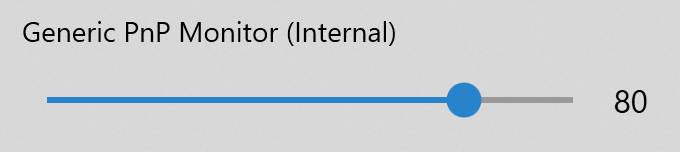
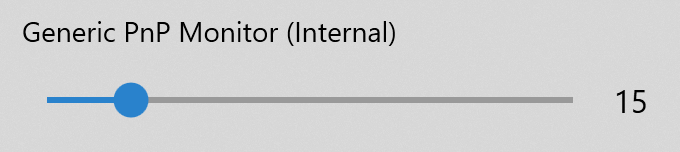
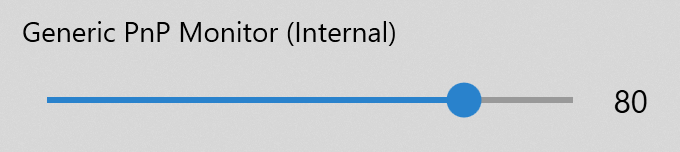
Trial captures with sample data. Solace Bright runs on your Windows PC.
After you buy, you can check that your download is exactly this file: same name, same size, same SHA-256.
- File
- SolaceBright-4.16.1-solace.1-unsigned.zip
- Size
- 272022 bytes
- SHA-256
df0f6098b2ff24e611948c736f9d93ea49cc7a0c3e4424f6f63dc286b7df7ca2
ABOUT THIS PRODUCT
The story behind Solace Bright
A multi-monitor desk should not mean leaning under each bezel to find the brightness buttons. Solace Bright is for the ordinary Windows workday where one laptop and one or two external panels need to agree — a little brighter for a spreadsheet, a little softer for evening reading — without opening each monitor's on-screen menu.
You open the tray app, see the monitors Windows and DDC/CI can actually control, and move brightness (and contrast when the panel supports it) one screen at a time or in unison. Rename a display so the list matches the desk in front of you. Settings stay on your PC; there is no cloud account for the core controls.
This package is Solace Bright 4.16.1-solace.1 for Windows. It does not include Microsoft Store subscription hotkeys, a command-line get/set tool, or a WiX installer. External monitors need DDC/CI enabled, and not every cable or dock will cooperate — that is a hardware limit, not a missing checkbox. Prefer gradual changes, verify the published SHA-256 on this ZIP, and treat the tool as a practical helper for everyday brightness, not a medical or accessibility certification.
Usage disclaimer
Use SolaceSoftware products only for lawful, authorized purposes. Use only content, data, images, audio, and other material you have the rights and any necessary consent to use.
You are responsible for what you provide, create, and share. Do not use our products for fraud, deceptive impersonation, harassment, or other unlawful or abusive activity. Follow applicable laws, platform rules, and third-party licenses.
Software and AI outputs can contain mistakes. Review results before relying on them, publishing them, or sharing them with others.
External monitors must support and enable DDC/CI; some cables, docks, and converters block control. Monitors that do not respond are omitted.
This Solace package does not include Microsoft Store subscription hotkeys or command-line get/set brightness/contrast add-ons.
Brightness and contrast changes affect comfort and readability. Prefer gradual adjustments. This is not a medical device.